Claude that knows your kitchen.
Plan meals, build shopping lists, adapt recipes. Dillr gives Claude your kitchen, your family, and your history so it becomes an expert on how you cook.
Shopping list (7 items):
• Salmon fillet (400g)
• Cabbage (1 head)
• Carrots (3)
• Red pepper (2)
• Ginger
• Lime (2)
• Spring onions
Things you can ask
A few ideas to get you started.
Plan meals for the week
Schedule-aware planning based on your history and what you have.
Mon: Garlic shrimp stir-fry (20 min)
Tue: Rainbow fried rice (leftover veg)
Wed: Miso salmon with greens (30 min)
Thu: Pasta pomodoro (pantry meal)
Fri: New: coconut chickpea curry
Busier days get quicker meals. Want me to make the shopping list?
Plan a dinner party
Guest count, dietary needs, and shopping list in one conversation.
Save a recipe from a link
Claude reads it, adapts it for your family, and saves it in Dillr.
Update pantry from a receipt
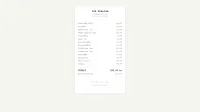
Snap a photo of your receipt and your pantry updates automatically.
Plan in Claude. Cook with the app.
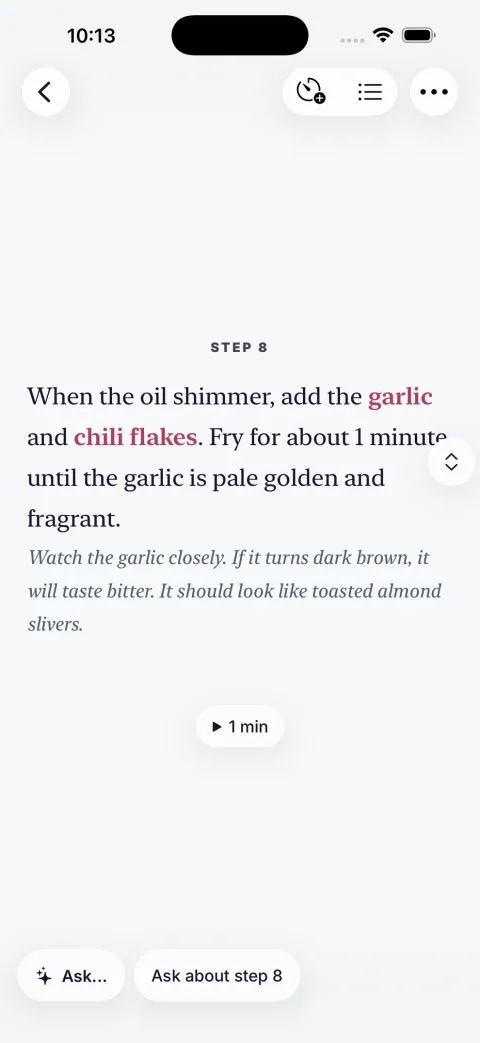
Everything you create in Claude lives in the Dillr app. Check off your shopping list at the store, follow recipes step-by-step, and track what you've cooked.

Why Dillr + Claude?
Claude is already a great cook. Dillr gives it your kitchen.
Plans meals and writes great recipes
Answers technique questions mid-cook
Adapts any dish on the fly
Brainstorms when you're out of ideas
Remembers your family — allergies, tastes, portions — in every chat
Plans become real menus with a shopping list, in your pocket at the store
Recipes saved to a library that improves over time
Checks your pantry before adding to the list — snap a receipt to update it
Shared kitchen: the whole household plans, shops, and cooks from the same place
Cook step-by-step in the app, with timers and help per step
Turn Claude into your personal cooking assistant.
Add Dillr from Claude's connector directory. Your recipes, your family and your taste. All inside Claude.
Open Connectors
In Claude, open Settings, then Connectors — in the Claude app or on claude.ai.
Find Dillr
Browse the connector directory, search for Dillr, and click Connect.
Sign in
Sign in with your Dillr account — or create one — and you're ready to cook.